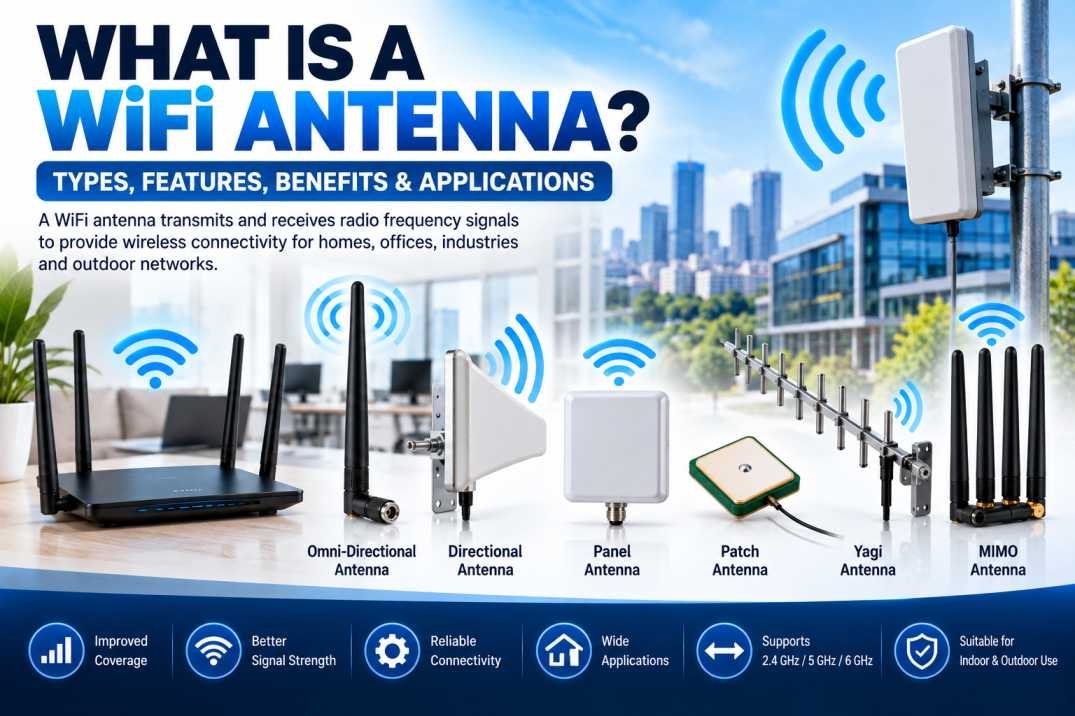
A WiFi antenna is an essential component of wireless communication systems that transmits and receives radio frequency (RF) signals between WiFi-enabled devices. It helps routers, access points, computers, smartphones, smart home devices, and other wireless equipment communicate without physical cables. The performance of a WiFi antenna directly influences wireless coverage, signal strength, connection stability, and network efficiency.
WiFi antennas are widely used in homes, offices, industrial facilities, educational institutions, commercial buildings, and outdoor networking systems. Selecting the right WiFi antenna can help improve wireless coverage, reduce dead zones, and support reliable connectivity across different environments.
What Is a WiFi Antenna?
A WiFi antenna is a device designed to radiate and receive electromagnetic waves at the radio frequencies used by WiFi networks. It converts electrical signals from a wireless transmitter into radio waves and converts received radio waves back into electrical signals for processing by a receiver.
WiFi technology commonly operates in the 2.4 GHz and 5 GHz frequency bands, while newer WiFi systems also use the 6 GHz band where supported by the device and regional regulations. The antenna must be designed for the intended frequency band to provide effective wireless performance.
WiFi antennas may be integrated inside routers and electronic devices or installed externally to provide different coverage patterns, mounting options, and antenna gain characteristics.
How Does a WiFi Antenna Work?
A WiFi antenna works by transmitting and receiving radio frequency signals.
During transmission, the wireless device generates an RF signal and feeds it to the antenna. The antenna radiates the signal as electromagnetic waves through the surrounding environment.
During reception, the antenna captures radio waves from another WiFi device and converts them into electrical signals. The receiver then processes these signals to recover the transmitted information.
Wireless performance depends on several factors, including antenna design, operating frequency, antenna gain, transmitter power, receiver sensitivity, interference, obstacles, and the distance between devices.
Types of WiFi Antennas
Different WiFi antennas are designed to meet specific coverage and installation requirements.
1. Omni-Directional WiFi Antenna
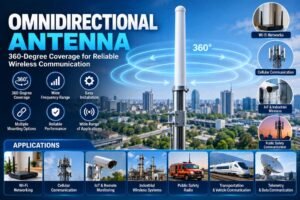
An omni-directional WiFi antenna radiates and receives signals in most horizontal directions around the antenna. It is commonly used in WiFi routers, access points, and wireless networking equipment.
Key benefits:
- Provides broad horizontal coverage.
- Supports connections from devices in different directions.
- Suitable for homes, offices, and general wireless networks.
- Available in internal and external configurations.
2. Directional WiFi Antenna
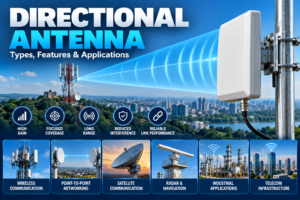
A directional WiFi antenna focuses more of its radiation and reception in a particular direction. It is useful when wireless connectivity is required between specific locations.
Key benefits:
- Concentrates signal energy toward a target area.
- Can support longer links when properly designed and installed.
- Helps reduce reception from unwanted directions.
- Suitable for point-to-point and outdoor wireless connections.
3. Panel WiFi Antenna
A panel antenna is a flat, compact directional antenna designed for controlled wireless coverage. It is commonly installed on walls, poles, and outdoor equipment.
Panel antennas are suitable for offices, warehouses, campuses, and outdoor wireless access points where coverage needs to be directed toward a particular area.
4. Patch WiFi Antenna
A patch antenna is a low-profile antenna often integrated into electronic equipment. Its compact construction makes it suitable for routers, wireless modules, embedded systems, and space-constrained installations.
Patch antennas are available in different designs and frequency configurations, depending on the intended application.
5. Yagi WiFi Antenna
A Yagi antenna is a directional antenna that uses multiple conductive elements to concentrate RF energy along a preferred direction. It may be used in specialized wireless links and installations where directional coverage is required.
6. MIMO WiFi Antenna
MIMO stands for Multiple-Input Multiple-Output. MIMO WiFi systems use multiple antenna paths to improve wireless capacity, reliability, or data throughput under suitable conditions.
MIMO antennas are commonly used in modern routers, access points, broadband equipment, and enterprise wireless systems. Their performance depends on antenna placement, radio design, spatial separation, and the capabilities of connected devices.
Key Features of a WiFi Antenna
The following features help determine whether a WiFi antenna is suitable for a particular wireless application.
- Frequency range: Determines the WiFi bands supported by the antenna, such as 2.4 GHz, 5 GHz, or 6 GHz.
- Antenna gain: Expressed in dBi, gain describes how the antenna directs RF energy relative to an ideal reference antenna.
- Polarization: Describes the orientation of the electromagnetic field and affects compatibility with other antennas.
- Radiation pattern: Indicates the directions in which the antenna transmits and receives signals.
- Impedance: Many WiFi antennas and RF systems use a nominal 50-ohm interface, but compatibility should be verified.
- Connector type: Common options include SMA and RP-SMA, depending on equipment requirements.
- Mounting configuration: Antennas may be designed for PCB, panel, wall, pole, or external mounting.
- Environmental protection: Outdoor antennas may require weather-resistant construction and suitable ingress protection.
Benefits of Using a WiFi Antenna
A suitable WiFi antenna can improve wireless network performance when correctly matched to the equipment and installation environment.
Improved Wireless Coverage
The right antenna radiation pattern can help provide coverage across a room, office, warehouse, campus, or outdoor area.
Better Signal Reception
A properly positioned antenna can improve the received signal level and help maintain more stable communication with compatible devices.
Reduced Dead Zones
Choosing the appropriate antenna type and placement can help address areas with weak coverage, although walls, interference, and access point placement also need to be considered.
Flexible Installation
WiFi antennas are available in compact internal designs, adjustable external versions, and directional outdoor models to suit different networking requirements.
Support for High-Performance Networks
Antennas designed for the required WiFi frequency bands can support modern wireless equipment. Actual data rates depend on the complete system, including WiFi standard, channel width, interference, and connected devices.
Applications of WiFi Antennas
WiFi antennas are used across residential, commercial, and industrial environments.
Home Networking
WiFi antennas support wireless connectivity for smartphones, laptops, televisions, gaming devices, and smart home products.
Offices and Enterprise Networks
Businesses use WiFi antennas in routers and access points to provide connectivity for employees, visitors, computers, and wireless devices.
Industrial Automation
Industrial wireless systems use WiFi connectivity for monitoring equipment, collecting data, and communicating with compatible control systems.
Outdoor Wireless Networks
Directional and weather-resistant antennas can support wireless links between buildings, outdoor access points, and selected remote locations.
Internet of Things (IoT)
WiFi antennas enable wireless connectivity for compatible sensors, controllers, monitoring devices, and smart appliances.
Education and Healthcare
Schools, universities, laboratories, and healthcare facilities use WiFi networks to connect computers, communication systems, and other wireless equipment.
How to Choose the Right WiFi Antenna
Selecting a WiFi antenna requires evaluating the wireless environment and the technical requirements of the equipment.
- Identify the frequency band: Confirm whether the system requires 2.4 GHz, 5 GHz, 6 GHz, or a combination of bands.
- Determine the coverage area: Choose omni-directional coverage for multiple directions or directional coverage for a specific target.
- Check antenna gain: Select a suitable gain based on coverage requirements and applicable RF regulations.
- Verify compatibility: Check the connector, impedance, supported bands, and radio equipment specifications.
- Consider the environment: Indoor and outdoor installations may require different mounting and protection features.
- Evaluate MIMO requirements: Ensure the antenna configuration matches the number and arrangement of radio chains supported by the equipment.
- Plan the installation: Antenna position, cable loss, nearby metal objects, walls, and interference can significantly affect performance.
WiFi Antenna vs. WiFi Router
A WiFi antenna and a WiFi router perform different functions. The antenna transmits and receives RF signals, while the router manages network traffic and connects devices to the local network and, where available, the internet.
A router may contain internal antennas or use external antennas. Replacing an antenna will not automatically improve performance unless the antenna is compatible and suitable for the specific coverage problem.
Conclusion
A WiFi antenna is a critical component of wireless communication, helping devices transmit and receive RF signals for reliable network connectivity. Different antenna types, including omni-directional, directional, panel, patch, Yagi, and MIMO configurations, serve different coverage and installation needs.
When selecting a WiFi antenna, consider the operating frequency, gain, radiation pattern, polarization, connector compatibility, and installation environment. Choosing the correct antenna and positioning it properly can help improve coverage, signal reception, and overall wireless network performance.
Frequently Asked Questions (FAQs)
1. What is a WiFi antenna used for?
A WiFi antenna transmits and receives radio frequency signals, allowing wireless devices to communicate with routers and access points.
2. What frequency does a WiFi antenna use?
WiFi antennas may support 2.4 GHz, 5 GHz, and 6 GHz bands, depending on the antenna design and compatible wireless equipment.
3. Which type of WiFi antenna is best?
The best antenna depends on the application. Omni-directional antennas suit broad horizontal coverage, while directional antennas are useful for focused wireless links.
4. Does a higher-gain WiFi antenna provide better coverage?
Not necessarily in every direction. Higher gain generally concentrates radiation into a narrower pattern, which can increase coverage in some directions while reducing it in others.
5. Can I use an external antenna with my WiFi router?
Yes, if the router has compatible external antenna ports and supports the antenna’s connector, frequency bands, and electrical requirements.
6. What is the difference between an omni-directional and directional WiFi antenna?
An omni-directional antenna provides coverage across most horizontal directions, whereas a directional antenna focuses coverage toward a preferred direction.
7. What is a MIMO WiFi antenna?
A MIMO antenna configuration supports multiple RF signal paths, which can improve throughput and reliability when supported by the router and connected devices.
8. Can a WiFi antenna increase internet speed?
An antenna may improve the wireless link if signal quality is a limiting factor, but it cannot directly increase the speed provided by the internet connection or overcome every network limitation.
9. Are WiFi antennas suitable for outdoor use?
Yes. Outdoor WiFi antennas are available, but the selected model should have suitable environmental protection, mounting hardware, and frequency compatibility.
10. What should I check before buying a WiFi antenna?
Check frequency range, gain, radiation pattern, polarization, impedance, connector type, MIMO configuration, mounting method, and indoor or outdoor suitability.